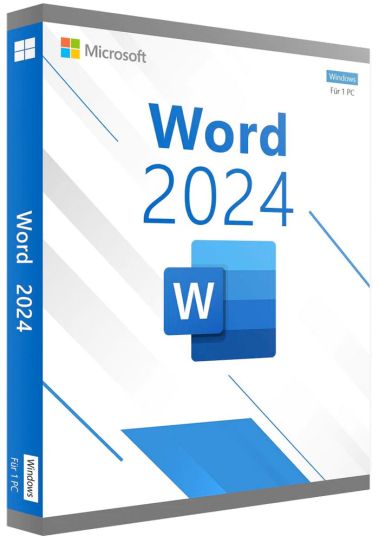
Microsoft Word 2024 at a glance
Word 2024 is the current perpetual release of Microsoft's word processor, sold as a single application rather than inside a bundle or subscription and installed locally as a classic desktop program. It belongs to the Office 2024 generation that Microsoft launched on 1 October 2024 for consumers and small businesses, next to the Office Home 2024 and Office Home & Business 2024 suites.
This edition is built for documents that need structure and a clean final layout, such as letters, reports, contracts, theses and manuals. Its feature set is fixed at the level of the launch, so the interface and tools stay the same over time while Microsoft continues to supply security updates. That makes it a fit for buyers who want a stable writing tool without an ongoing payment model.
How it is used in everyday work
A typical session starts from a template or an earlier document. The writer applies heading styles, lets Word generate a table of contents from them, and adds tables, images, footnotes or citations as the subject requires. In long texts, the Navigation pane lets you jump between sections or drag an entire chapter to a new position. The finished file is kept as DOCX for further editing or exported to PDF for distribution.
Review is the second core activity. A colleague turns on Track Changes, edits the text and leaves comments, and the author then accepts or rejects each change. Small offices use mail merge to combine a letter template with an address list from a spreadsheet, producing personalised letters, envelopes or labels in one run. Administrative and legal staff, freelance writers and students rely on these workflows most.
The functions that make a practical difference
The most noticeable addition is session recovery: if Word closes unexpectedly before recent changes are saved, it reopens all documents that were open at that moment, so work resumes where it stopped. Support for OpenDocument Format 1.4 brings the current ODT standard used by LibreOffice, including elements such as tables inside shapes and lists starting at zero, which reduces layout problems when files travel between the two programs.
Shared editing is also more orderly. Modern comments keep discussion threads readable, a switch between Viewing, Reviewing and Editing modes prevents accidental changes, and all resolved comments can be removed from a document at once. Accessibility checks were expanded across Office 2024 to help authors catch problems such as missing alternative text before a file is sent out, and on Windows, photos can be inserted straight from a linked Android phone.
Choosing the right edition
The standalone edition suits buyers who need a word processor and nothing else, for example because spreadsheets and presentations are not part of their work. Office Home 2024 adds Excel, PowerPoint and OneNote and is aimed at home and school use, while Office Home & Business 2024 also includes Outlook and carries rights for commercial use. Microsoft 365 is the subscription alternative: it contains Word as well, but with continuous feature updates, cloud storage and AI-assisted functions that the one-time 2024 editions do not receive.
Practical limits worth knowing before you buy
Copilot and the other AI features that Microsoft offers in Word are not part of this edition, and neither are cloud services such as included OneDrive storage; both belong to Microsoft 365. Features that Microsoft introduces after launch will not be added to this version. The package contains Word alone, so anyone who also needs Excel, PowerPoint or Outlook is usually better served by one of the suites. Before ordering, it is also worth confirming that your usual exchange formats, typically DOCX, DOC, RTF, ODT or PDF output, fit the way you work.
Common questions before ordering
Does this edition include Copilot?
No. Microsoft reserves Copilot in Word for Microsoft 365 subscriptions, and the one-time 2024 versions do not contain it. All classic writing, layout and review tools work without it.
Will documents from older Word versions open correctly?
Yes. DOCX files created in Word 2021, 2019 or earlier open directly, and legacy DOC files can be opened and converted to the current format. Files saved in this version also open in recent older versions, although newer elements may look different there.
What changed compared with Word 2021?
The main additions are automatic session recovery, ODF 1.4 support, expanded accessibility tools and the new Office 2024 visual theme. The core tools for text, layout and review remain familiar, so users of the previous version need no retraining.
Ordering Microsoft Word 2024 at Keys.discount
Every order is processed automatically, so you normally have everything you need within a few minutes of paying.
Delivery: Your product key and the official download link arrive by email.
Activation guarantee: If activation fails, we replace the key.
Sourcing: Licences come from audited distribution channels and are documented.
Setup help: Written step-by-step instructions accompany every delivery.
Support: Our team answers by chat, email and phone in several languages.