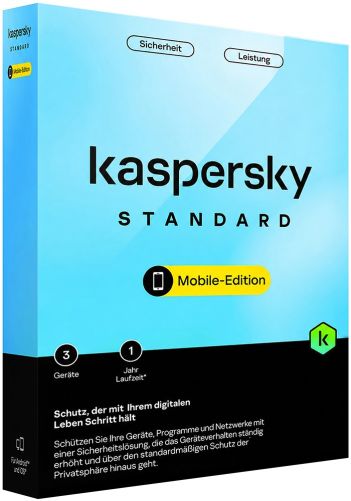
Kaspersky Internet Security (Europe) at a glance
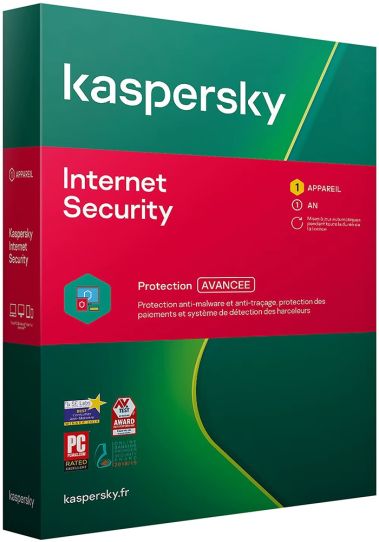
Kaspersky Internet Security is the middle tier of the manufacturer's classic home protection line, positioned above Kaspersky Anti-Virus and below Kaspersky Total Security. Where the entry product concentrates on finding and removing malware, this edition adds network and privacy layers: a firewall, a protected environment for payment sessions, webcam monitoring and filtering for incoming mail. The European edition is the version issued for European markets.
In 2023 Kaspersky reorganised its home products into subscription plans called Standard, Plus and Premium and stopped selling the Internet Security name directly. Its official switch page states that an Internet Security licence which is still current, or not yet activated, can be moved to Kaspersky Standard at no extra cost. Buyers therefore get Kaspersky's detection engine and core web protection whether they keep the classic application or move to the current one.
How it is used in everyday work
Most of the protection runs without the user opening anything. Files are checked as they are downloaded or opened, Web Anti-Virus examines pages before they load, and Mail Anti-Virus inspects incoming messages in desktop clients such as Mozilla Thunderbird. The main window is usually opened for a manual scan after a suspicious download or to review quarantined objects.
In a shared household one installation often covers several situations in a single evening. A parent sets usage rules for a child's account, another family member pays bills through the protected browser, and someone else works from a laptop on public Wi-Fi, where firewall rules matter more. Freelancers who process invoices and client payments on the same machine they use for private browsing tend to benefit most from the payment and camera safeguards.
The functions that make a practical difference
Safe Money opens bank and checkout pages in a Protected Browser that is isolated from other processes and verifies that the site is genuine rather than a phishing copy. Webcam Protection stops programs from switching on the camera without permission. The firewall decides which applications may reach the network, and the Network Attack Blocker stops intrusion attempts that arrive over the connection itself.
Parental Control, which newer builds can replace with Kaspersky Safe Kids, restricts websites, applications and computer time for a child's account. Anti-Spam sorts unwanted messages in desktop mail programs, which matters for anyone who still keeps a local mailbox. System Watcher follows program behaviour and can roll back changes made by malicious software, a useful safeguard against ransomware that starts encrypting files before a detection signature exists.
Choosing the right edition
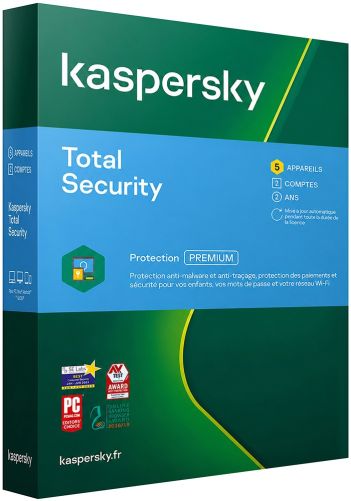
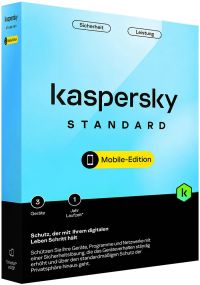
In the classic line, Kaspersky Anti-Virus handles malware and web threats but lacks the firewall, Safe Money, camera protection and parental controls included here. Kaspersky Total Security sits one step higher and adds a password manager plus tools for backing up and encrypting files. In the current lineup, an Internet Security licence switches to Kaspersky Standard, which adds PC Speed-Up, duplicate and large file clean-up, and cryptojacking protection. Kaspersky Plus adds an unlimited VPN and a password manager, while Kaspersky Premium adds identity protection and a year of Safe Kids.
Practical limits worth knowing before you buy
Kaspersky no longer develops Internet Security as a current product, so new features appear in the Standard, Plus and Premium applications instead. When the licence is moved to Kaspersky Standard, the manufacturer notes that the switched plan does not extend to iOS or Android. This edition is intended for European countries, and Kaspersky codes issued for one region are not accepted in another. The VPN in the classic suite is traffic-limited, unlike the unlimited service in Plus and Premium. Anyone who depends on a specific classic component, such as Anti-Spam, should confirm it is present in the application they plan to run.
Common questions before ordering
Can this licence be used with the current Kaspersky application?
Yes. Kaspersky's switch page confirms that a current or unactivated Internet Security licence can be transferred to Kaspersky Standard free of charge. The feature set then follows the Standard application.
Does this edition include a password manager?
No. In the classic line it belonged to Kaspersky Total Security, and today it is part of Kaspersky Plus and Kaspersky Premium.
Are parental controls part of the package?
Yes. Parental Control limits websites, programs and screen time on a child's account, and newer builds can use Kaspersky Safe Kids for this role. Families who want location tracking on phones should look at Kaspersky Premium, which bundles a year of Safe Kids.
Ordering Kaspersky Internet Security (Europe) at Keys.discount
Every order is processed automatically, so you normally have everything you need within a few minutes of paying.
Delivery: Your product key and the official download link arrive by email.
Activation guarantee: If activation fails, we replace the key.
Sourcing: Licences come from audited distribution channels and are documented.
Setup help: Written step-by-step instructions accompany every delivery.
Support: Our team answers by chat, email and phone in several languages.