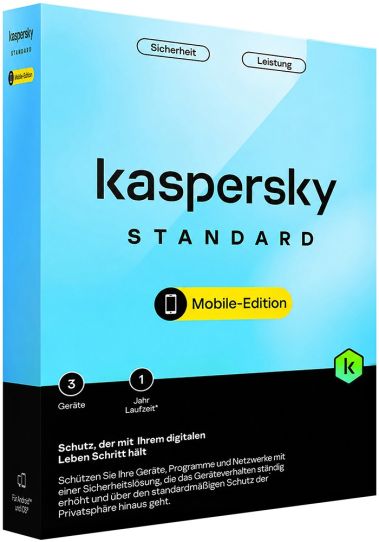
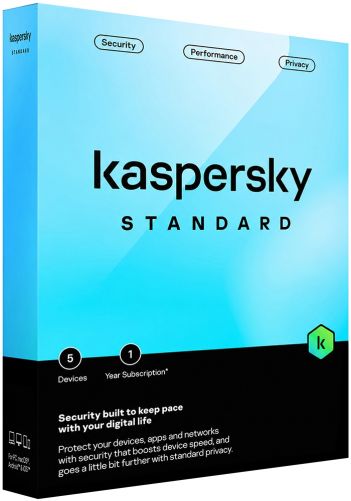
Kaspersky Standard Mobile Edition at a glance
This edition is the mobile-only version of Kaspersky Standard, the first paid tier in the current Kaspersky home line-up of Standard, Plus and Premium. Since 2023 these subscription plans have replaced the older product names, and on Android the Standard plan took over from Kaspersky Internet Security for Android. The Mobile Edition applies that protection only to smartphones and tablets, not to Windows or macOS computers.
Its job is clearly defined. It stops malicious apps and files on Android, keeps users away from fraudulent websites on both mobile platforms, and points out device settings that weaken security. The unlimited VPN, the password manager and the identity tools are reserved for the higher plans, so this edition stays focused on whether the device and the links opened on it are safe.
How it is used in everyday work
On Android, most of the work happens without the user opening the app. Protection runs continuously in the background, while a manual scan covers what is already stored. A quick scan checks only installed apps, whereas a full scan goes through the entire file system, including downloaded installation packages, which is worth doing after sideloading an app. When a link in an email, a chat or a browser leads to a known fraudulent page, the app blocks it.
On an iPhone or iPad the routine is different, because Apple does not let security apps search the device for malicious files. There the app filters opened links and reviews weak system settings. The edition suits private users who bank and shop on their phone, parents who want a basic safety layer on a teenager's handset, and staff who read work mail on a personal phone without needing a managed mobile security platform.
The functions that make a practical difference
Real-time protection on Android covers viruses, trojans, ransomware and adware, which matters most for users who install apps from more than one source. The anti-phishing component, called Phishing & Malware Filter in the iOS app, automatically checks opened links for fraud and malware and targets the attack most phone owners actually meet: a convincing fake login or payment page. The weak settings scan lists configuration choices that make the device easier to attack and explains how to correct them.
Stalkerware detection warns about apps installed secretly to track location, messages or social media activity, a personal threat that is easy to overlook. The performance tools point out long-unused apps so they can be removed to free storage. The Data Leak Checker is included in reduced form: it checks only the owner's My Kaspersky account against known breaches and reports which categories of data may have become public.
Choosing the right edition
This edition sits beside the regular cross-platform Standard plan and below Kaspersky Plus and Kaspersky Premium. The regular Standard plan offers the same protection but also covers Windows and macOS, so it fits anyone who wants one plan for a laptop and a phone. Plus adds an unlimited VPN, Kaspersky Password Manager and the full Data Leak Checker with automatic checks of additional accounts, which suits frequent public Wi-Fi users. Premium adds identity tools such as the Identity Wallet and Identity Theft Check, plus priority support, although phone support is not offered in every region.
Practical limits worth knowing before you buy
Kaspersky apps for Android are currently not available in Google Play; the manufacturer directs users to Samsung Galaxy Store, Huawei AppGallery, Xiaomi GetApps or an APK file from the Kaspersky website or My Kaspersky account. On iOS, protection is limited to web links and settings. This edition contains no unlimited VPN, no password manager and no identity monitoring, and Kaspersky states that some Android functions may be restricted on certain devices. A My Kaspersky account is required to use the plan.
Common questions before ordering
Does the iPhone version scan for viruses?
No. Because Apple does not permit file scanning on iOS, the app concentrates on blocking dangerous links and flagging weak settings there. Malware scanning is part of the Android version only.
Is a VPN included in this edition?
An unlimited VPN is not part of it. That feature belongs to Plus and Premium, so buyers who regularly need encrypted connections on hotel or café networks should choose one of those plans.
I already have a Kaspersky app from Google Play. Should I uninstall it?
Kaspersky advises against removing it, because apps installed from Google Play keep working but receive only antivirus database updates. Installing the alternative-store version or the official APK over the existing app restores regular app updates.
Ordering Kaspersky Standard Mobile Edition at Keys.discount
Every order is processed automatically, so you normally have everything you need within a few minutes of paying.
Delivery: Your product key and the official download link arrive by email.
Activation guarantee: If activation fails, we replace the key.
Sourcing: Licences come from audited distribution channels and are documented.
Setup help: Written step-by-step instructions accompany every delivery.
Support: Our team answers by chat, email and phone in several languages.